
Template:Gallery/doc
Description
This template is used to add gallery toggles to gallery sections.
Usage & Syntax
{{Gallery|Open = <Yes/No>|
<Galleries>
}}
As this toggle is closed by default, the Open parameter needs to be set to "Yes" for it to be open by default on the page. Otherwise, if set to nothing or anything else, it will be closed. Next parameter is the content of the gallery.
Examples
Close Gallery (Ghoul)
{{Gallery|
{{GalleryHeader|Thumbnails}}
<gallery>
NEWGAMEMODETHUMBNAIL.png|'''Ghoul''' on the game thumbnail.
</gallery>

{{GalleryHeader|Promotional Videos}}
<gallery>
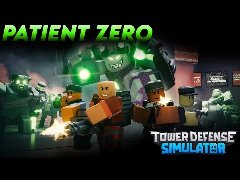
Patient Zero Trailer (OUT NOW!) Tower Defense Simulator|'''Ghoul''' in a promotional video.
</gallery>

{{GalleryHeader|Development Images}}
<gallery>
GhoulWalkDG.gif|'''Ghoul''' on a development gif.
</gallery>
}}
Thumbnails
-
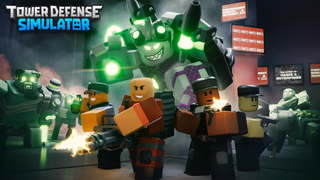 Ghoul on the game thumbnail.

Promotional Videos
-
Ghoul in a promotional video.
Development Images
-
 Ghoul on a development gif.

Open Gallery (v1.21.0)
{{Gallery|Open = Yes|
{{GalleryHeader|Icons}}
<gallery>
CUpdateIcon1.png
</gallery>

{{GalleryHeader|Thumbnails}}
<gallery>
NEWGAMEMODETHUMBNAIL.png
</gallery>
}}
Icons


Thumbnails