
Mentin










This user has been verified to be Mentin12 by Wiki Staff.
They are a part of the Wiki Staff.
test test es tes tes t set
Info
Main editor of this wiki. Sometimes edit on others, though most often not actively.
You can ask any questions on my message wall or through my Discord. Anyone can DM me there.
I have nothing to put on this page, so I will use this to show you some tricks to update the appearance of your profile page. It assumes you are using the Source Editor. It also assumes you have basic knowledge of how to edit in the Source Editor.
Profile Page Stuff
Templates
The TDS wiki has a lot of templates, some of which I have listed below. I cannot, however, list them all. A full list of templates can be found here. The list below will have templates (and some non-templates) that can be used on profile pages.
Page background


You can set your page background using the {{Background}} template. On my profile page, you can see either Ruby Escort, Lighthaos or Wrecked Battlefield II in the back. The template is is formatted like this:
{{Background|<file name>|<size>}}
File name is the name of the file, for example "Place.png". Size is the size of the image in px, for example "1500px". By default, the size is set to 2000px and does not have to be altered in a lot of the cases.
It is also possible to have multiple randomly chosen backgrounds. These can be added like this:
<choose uncached>
<option>{{Background|Remake Fungi Island View.png}}</option>
<option>{{Background|MarshlandsView2.png}}</option>
<option>{{Background|WinterStrongholdViewV3.png}}</option>
</choose>
This will make it so that one of these three images will be chosen as the background for your profile page. There is no limit on how many images can appear.
Tower loadout
1
 $10,000
|
2
 $2,400
|
3
 $650
|
4
 $950
|
5
 $900
|


You can display your tower loadout using the {{Loadout2}} template. The template is formatted like this:
{{Loadout2
|slotimage1 = <file name>
|cash1 = <cash>
|rarity1 = <rarity>
|slotimage2 = <file name>
|cash2 = <cash>
|rarity2 = <rarity>
|slotimage3 = <file name>
|cash3 = <cash>
|rarity3 = <rarity>
|slotimage4 = <file name>
|cash4 = <cash>
|rarity4 = <rarity>
|slotimage5 = <file name>
|cash5 = <cash>
|rarity5 = <rarity>
}}
The loadout seen at the top of this section was formatted like this:
{{Loadout2
|slotimage1 = DefaultJuggernautIconIG.png
|cash1 = $10,000
|rarity1 = Common
|slotimage2 = NarratorCrookBossIconIG.png
|cash2 = $2,400
|rarity2 = Ultimate
|slotimage3 = WonderlandCommanderIconIG.png
|cash3 = $650
|rarity3 = Legendary
|slotimage4 = MakoDJBoothIconIG.png
|cash4 = $950
|rarity4 = Ultimate
|slotimage5 = DefaultHackerIconIG.png
|cash5 = $900
|rarity5 = Common
}}
Tower tierlist
Towers based on color.




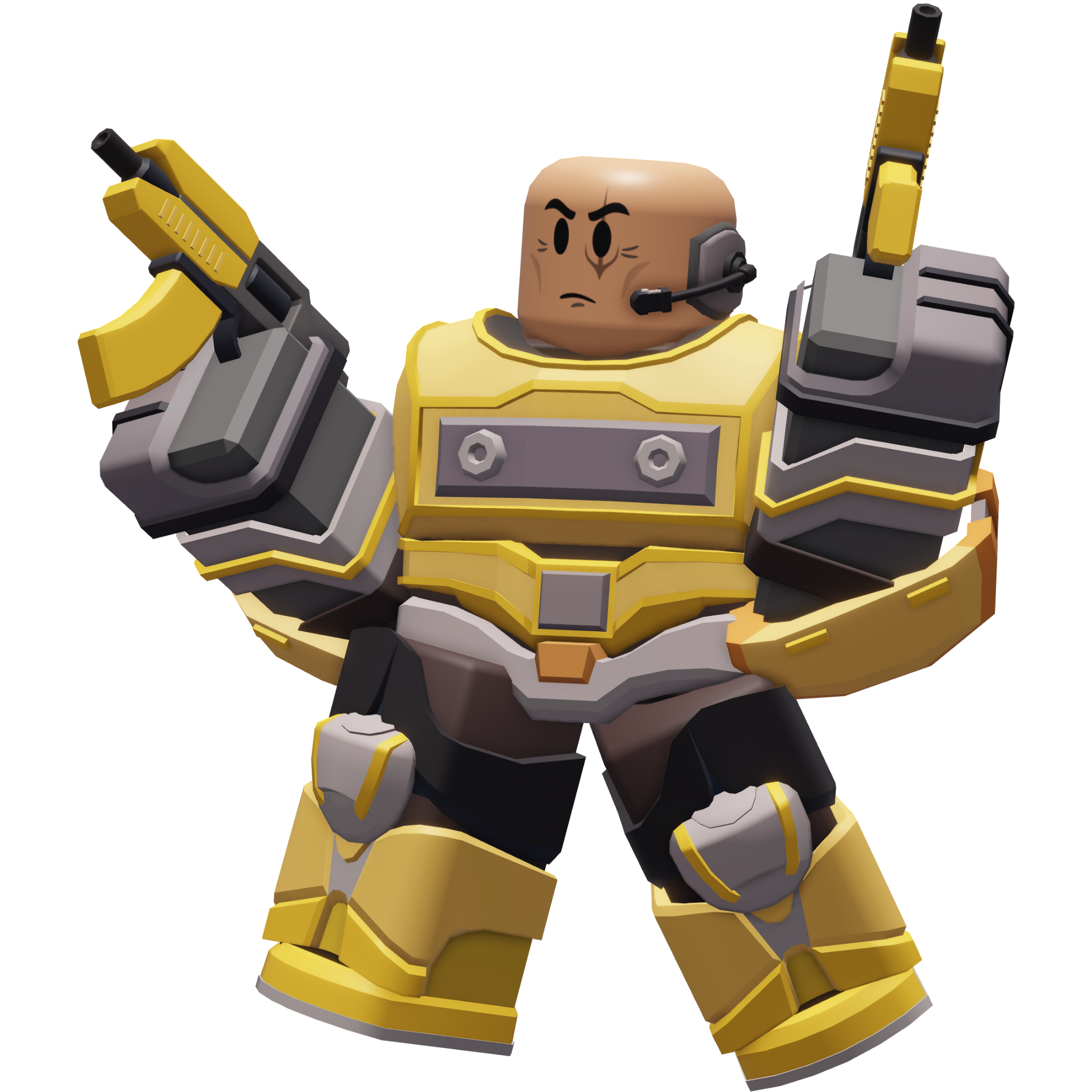








The {{Tierlist}} template can be used to add a nice looking tower tierlist. The tierlist shown above was added like this:
Towers based on color.
{{Tierlist
|S = Pyromancer, Minigunner, Narrator Crook Boss, Crew Trapper
|A = Hallow Punk
|B = Commando, Golden Minigunner, Golden Scout, Tesla, Megalodon Cowboy, Yourself Crook Boss
|C = Soldier, Toxic Gunner, Mortar, Pursuit, Gatling Gun, Leprechaun Rocketeer, Juggernaut, Saboteur
|D = Warden, Firework Technician, War Machine, Snowballer, Bunny Brawler
|E = Engineer, SciBunny Assassin
|F = Jester, Lovestriker Electroshocker
}}
Player infobox
The {{Player}} template can be used to add an infobox that includes information about you. The infobox on the right of this section displays every important row being added, though if you do not want to display one, simply do not include it. The infobox on the right was added like this:
{{Player
|title1 = Mentin
|image1 = Place.png
|pronouns = Example/Example
|nationality = Example
|timezone = Example
|active = Example Hours
|tower_1_/_favorite_tower = [[Scout]]
|tower_2 = [[Sniper]]
|tower_3 = [[Paintballer]]
|tower_4 = [[Demoman]]
|tower_5 = [[Hunter]]
|favorite_skin = {{Color|Basic|Survivor}} [[Scout]]
|level = {{Level|421}}
|favorite_map = [[Stained Temple]]
|favorite_mode = [[Tutorial]]
|favorite_zombie = [[Strong]]
}}
Babel
| ||||
| Users by language |
|---|
Babel is used to add information on your page about how proficient you are in specific languages. It is usually formatted like this:
{{#babel:<language>-<number>|<language>-<number}}
The number of languages can be repeated multiple times. The language is a shortened version of its name (for instance, english would be en) while the number is how proficient you are in it, with:
- 0 being no knowledge
- 1 being basic knowledge allowing you to understand written material or basic questions in the language
- 2 would be intermediate ability that would be enough for editing or discussions in that language
- 3 is advanced level meaning you can write in the language thought with small errors
- 4 would be near native level of knowledge which refers to generally non-native speakers with high enough knowledge of the language to be similar to the native level
- 5 is professional proficiency which refers to being able to answer language usage questions that may be asked by native speakers.
- For native speakers, not including a number (like just
en) or having it be N means you are native speaker who uses the language every day and a has throughout grasp of it, which includes colloquialisms and idioms
The babel seen in this section was formatted like this:
{{#babel:en-4|pl-N}}
Display the reader's username
It is possible to display the username of the person viewing your profile page with the {{USERNAME}} template. For example, your username should be you, assuming you are on a computer or using desktop view on your mobile device. To add this, simply include {{USERNAME}} on your profile page.
Displaying colored text
On the wiki, you have seen a lot of colored text in various colors. For example, this one is in green. This is done using the {{Color}} template. That template is formatted like this:
{{Color|<hex code or color code>|<text>}}
For example, {{Color|ViolentNight|Red}} and {{Color|000000|Black}} will be displayed as Red and Black.
For more information on how to use this I would heavily recommend visiting the Main Page, as it has much more information about it than my profile page will ever have. Additionally, the wiki also uses a lot of templates specific for currency. All of them can be found here, in the text template category. It includes templates like Level , which displays level and 

Last Revision
You can add when your page was last edited automatically, but there are two templates which do this automatically. LastRevision does it in the DD/MM/YYYY format and LastRevisionMDY does it in the MM/DD/YYYY format. For example, this page was last edited on the 20th of October 2026 (long). You can also display it like this 20 October 2026 (short) and this 20/10/2026 (numerical). In MM/DD/YYYY, it was last edited on the October 20th, 2026 (long), October 20, 2026 (short) and 10/20/2026 (numerical). It can be added like this:
{{LastRevision|<form>}}
{{LastRevisionMDY|<form>}}

| Staff | ||
|---|---|---|
| Bureaucrats | Mentin •  WikiaColors WikiaColors
| |
| Administrators | BrillanceDisplayed •  Visible Visible
| |
| Content Moderators |  Adachi • Adachi •  Breathix • Sofiasean560 Breathix • Sofiasean560
| |
| Discussion Moderators | Draco179 • LordRed •  Mono Mono
| |
| Operators |  Toru Toru
| |
| Wiki Resources | ||
| Wiki Policies | Copyrights • Manual of Style • Privacy • Post Guidelines • Rules • Terms of Use | |
| Help Pages | Neowtext • Wikicards | |
| Templates | Infobox • Navbox • Image Gallery • Data • Design • Navigation • Notice • Context-Link • Succession Table • Icon • Text • Scrollbox • Quote • Non-Article • Profile Page | |
| Tools | Statistics Editor • Game Page Resources • Skill Tree Planner | |
| Other | About • Community • Discord Server • Gadgets • Main Page • Mascot • New Files • Outlet • Recent Blogs • Recent Changes | |